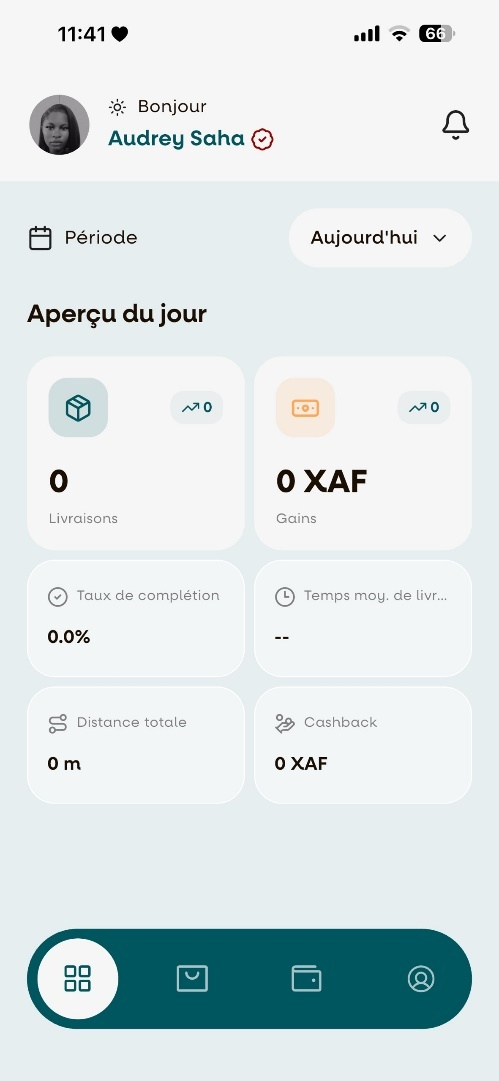
How to complete driver-profile
##Step 1: Activate Your Account
Once you have logged in to your account, you will be taken to the Account Activation page. Click on "Activer mon compte" to begin the activation process.
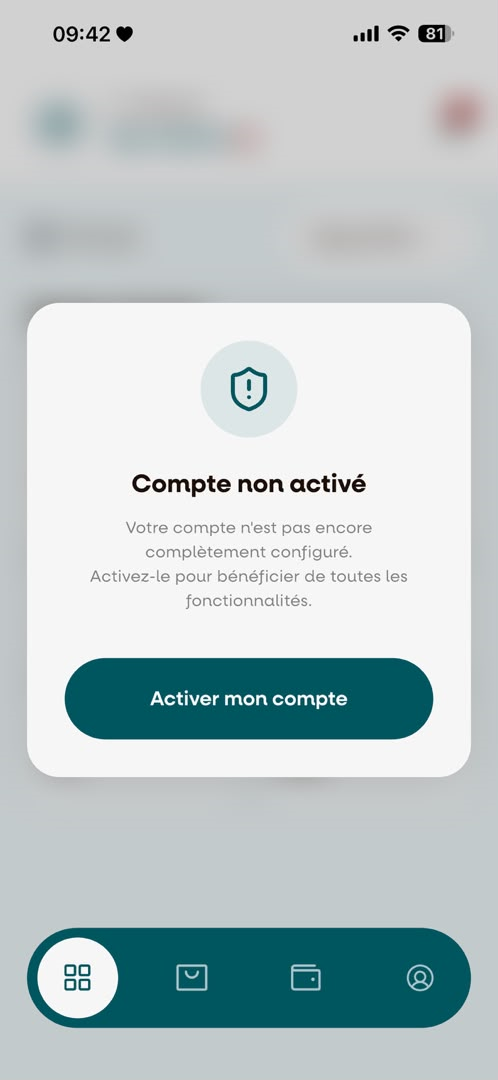
Note: The account activation process consists of 4 steps.
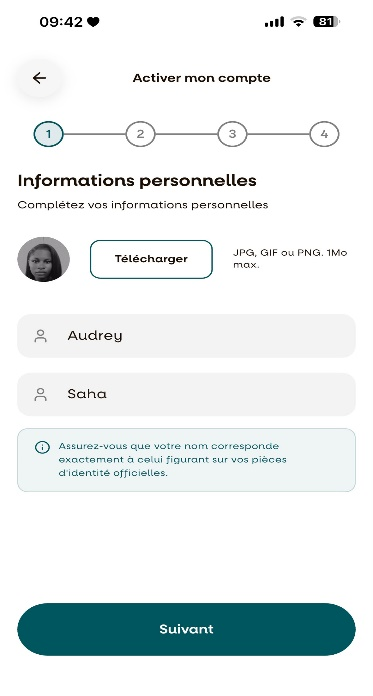
Step 2: Complete Your Personal Information
This screen represents Step 1 of the account activation process. Fill in all the required personal information, then proceed to the next step.
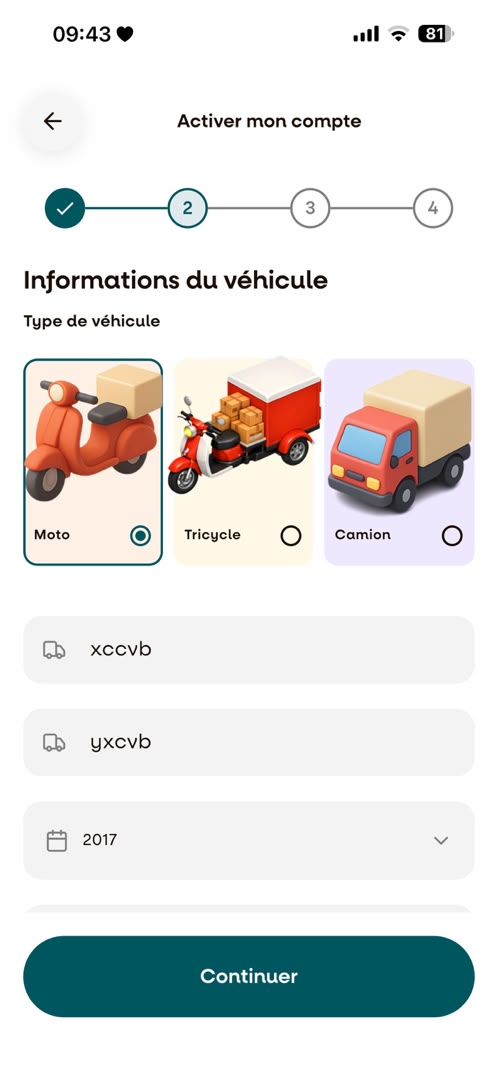
Step 3: Complete Your Vehicle Information
This screen represents Step 2 of the account activation process. Enter all the required information about your vehicle.
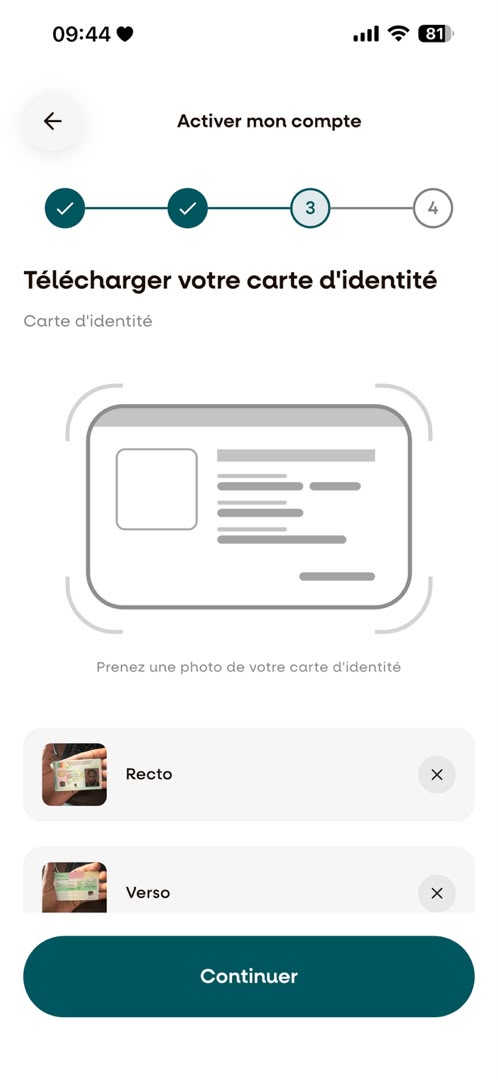
Step 4: Upload Your ID Card
This screen represents Step 3 of the account activation process. Upload clear photos of both the front and back of your National ID Card.
Step 5: Upload Your Driving Licence
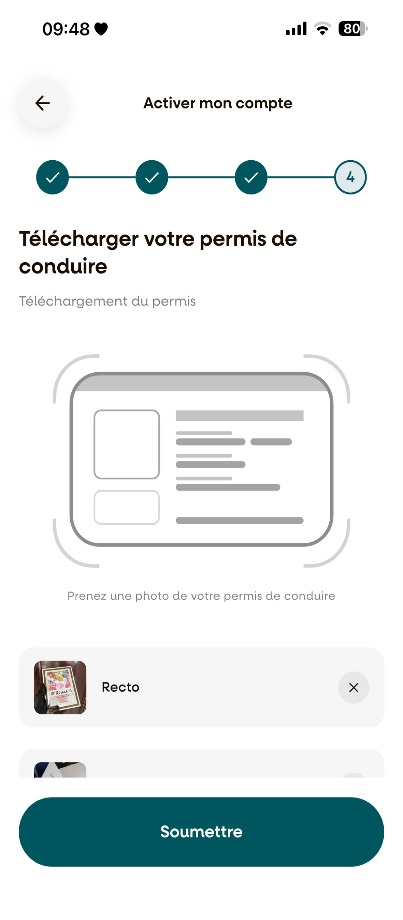
This screen represents Step 4 of the account activation process. Upload clear photos of both the front and back of your driving licence. Once all the required documents have been uploaded, click "Terminer" to submit your profile for review.
Step 6: Account Review
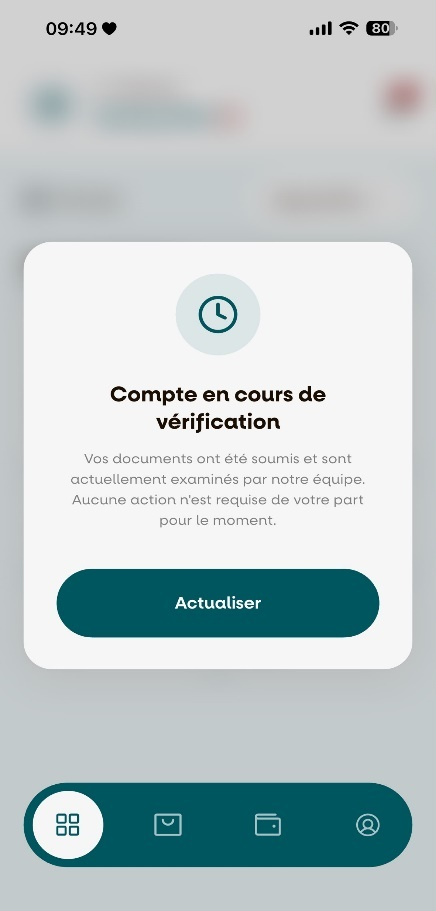
After submitting all the required information and documents, your profile will be sent to the administrator for review. You will automatically be redirected to the page below while your application is being reviewed. Note: Your application may be approved or rejected depending on the verification results.
Step 7: Driver Profile Approved
Once your driver profile has been approved, you will automatically be redirected to your dashboard, where you can start accepting delivery requests and begin your journey with DeleevX.