How to Set Up Your Withdrawal Account
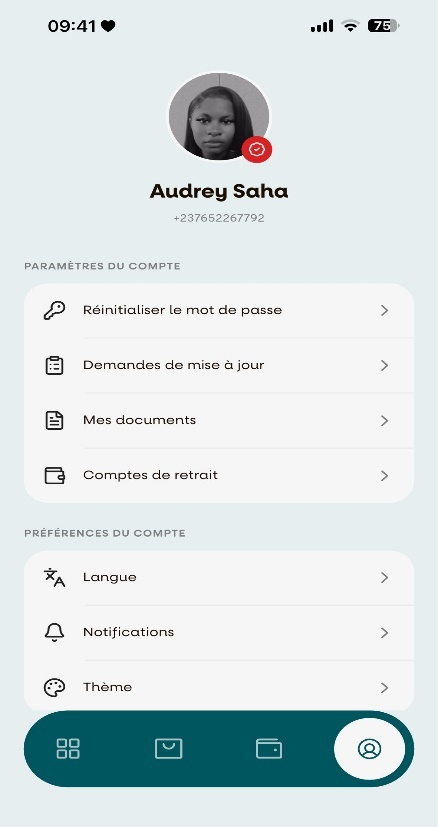
Step 1: Open the Withdrawal Account Settings
From the Account menu, select "Compte de retrait".
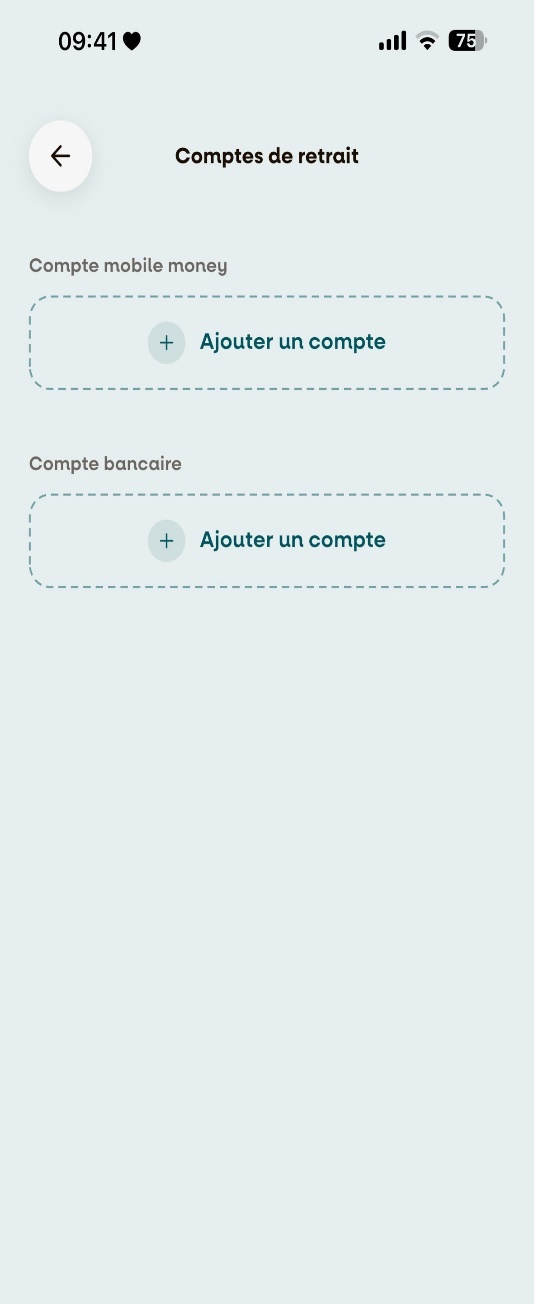
Step 2: Choose Your Account Type
Select the type of withdrawal account you want to add:
- Compte Mobile Money
- Compte Bancaire
Step 3: Enter Your Account Details
Choose your mobile money operator (Orange Money or MTN Mobile Money).
Enter your phone number, then tap "Envoyer le code" to receive a verification code.
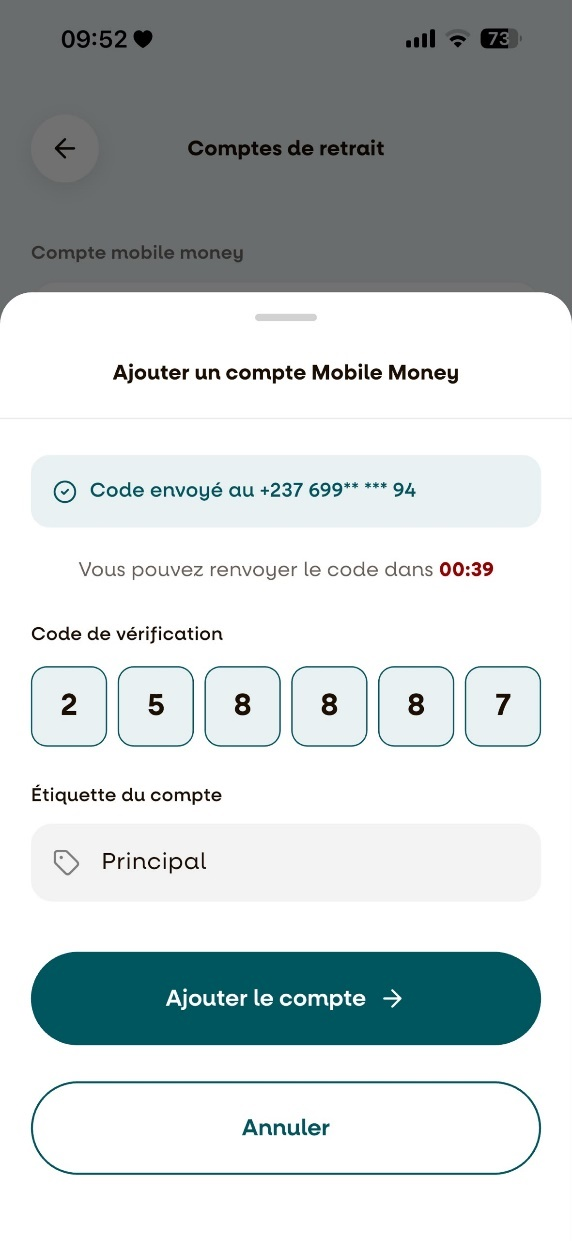
Step 4: Verify and Add Your Account
Enter the verification code you received.
Next, enter the "Étiquette du compte" (Account Label), then tap "Ajouter le compte" to save your withdrawal account.
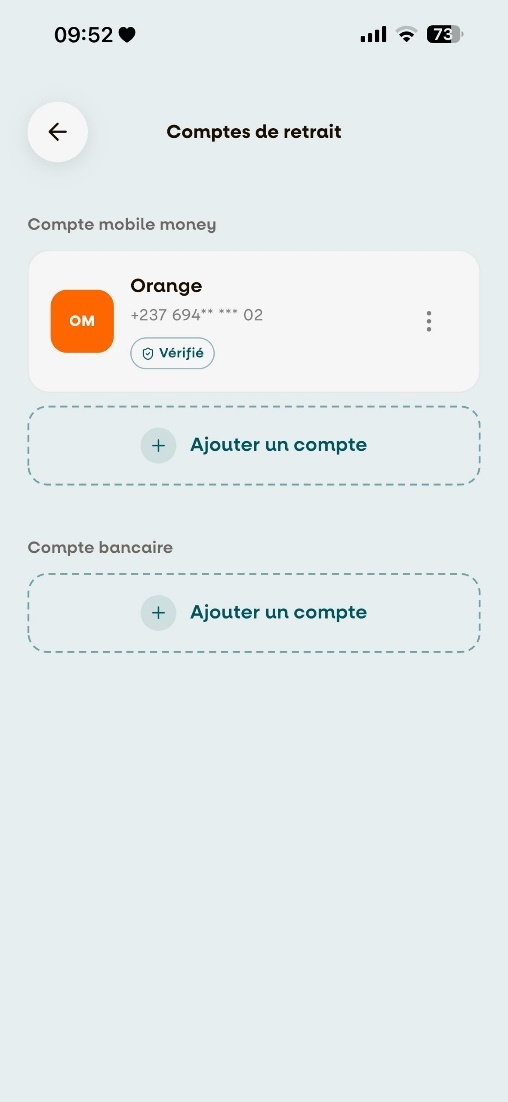
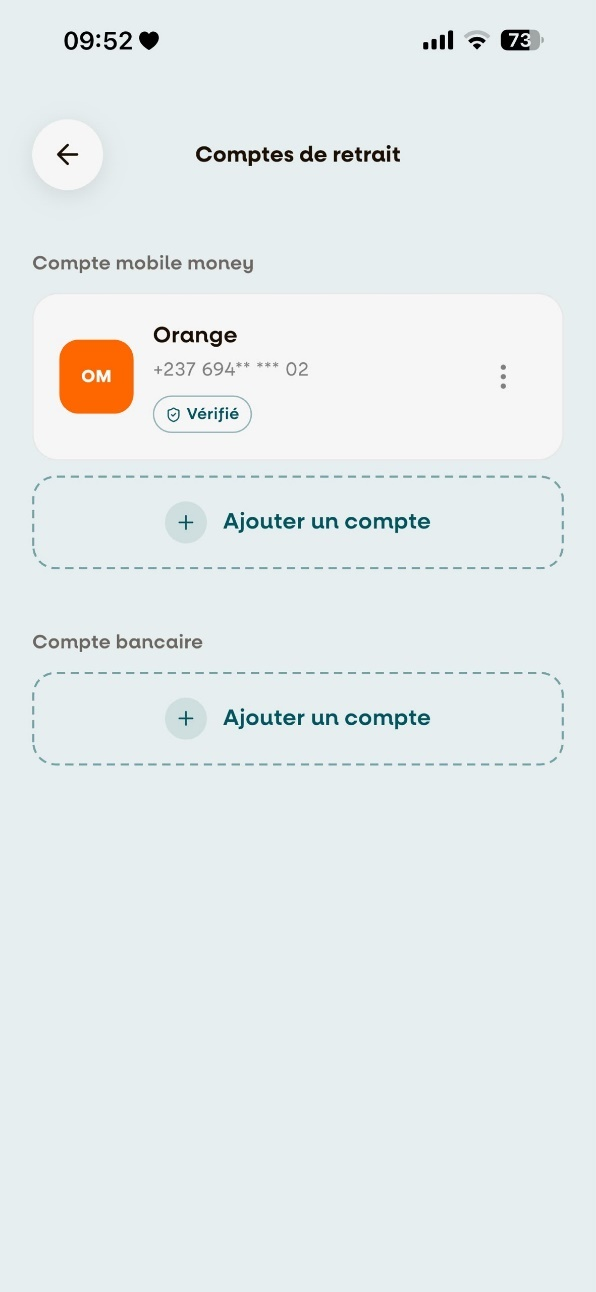
Step 5: Withdrawal Account Successfully Added
Once the process is complete, your withdrawal account will appear in the list of saved withdrawal accounts.
You can now use this account to receive your withdrawals.
🎉 Congratulations!
Your withdrawal account has been successfully configured.
You can now securely withdraw your earnings using your selected payment method.