How to Accept an Order and Track the Delivery on the Map
Step 1: Receive and Accept an Order
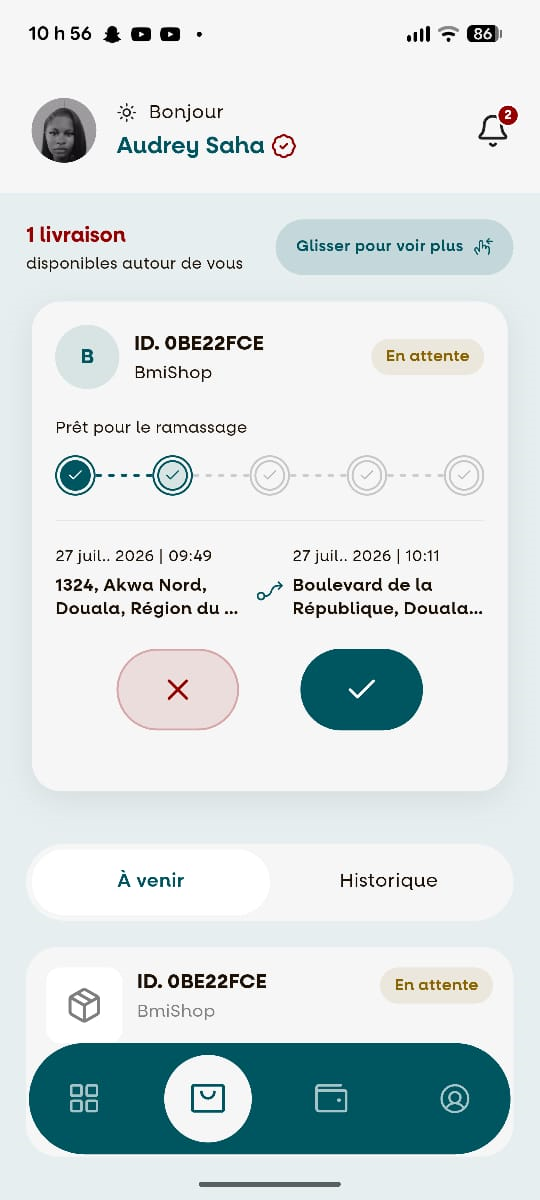
When a customer places an order, you will receive a notification on your phone.
Open the notification and tap "Accepter" to begin the delivery process.
Step 2: Start Navigation
After accepting the order, the "Start Navigation " button will appear.
Tap "Start Navigation" to launch the navigation system and view the route to the pickup location.

Step 3: Start the Delivery
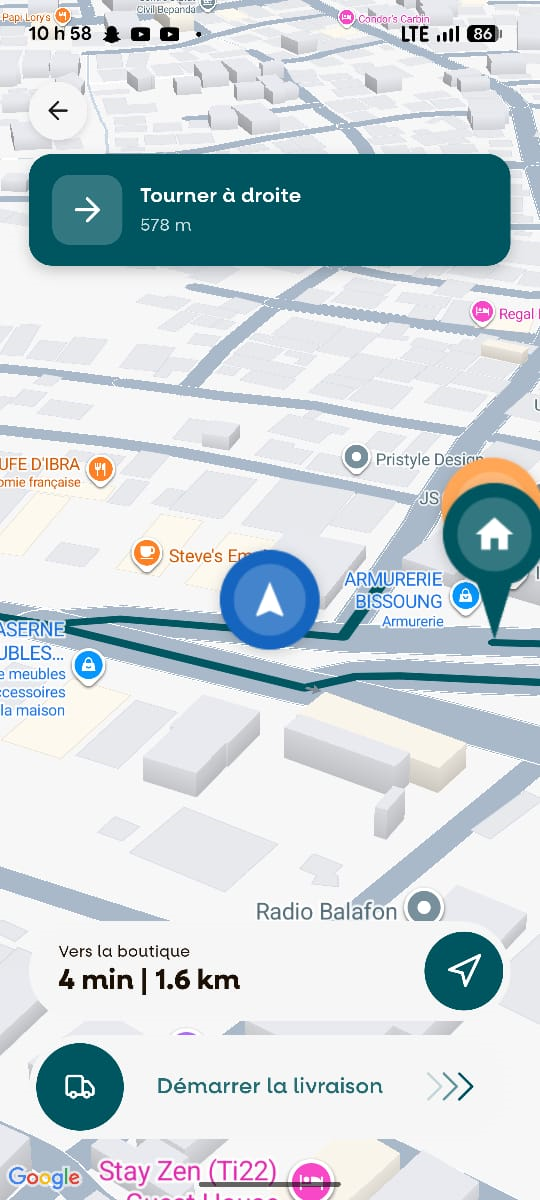
Once navigation has started, tap the "Démarrer la livraison (Start Delivery) " button.
A detailed route with turn-by-turn directions will be displayed to guide you to the pickup location.
Step 4: Confirm Order Collection
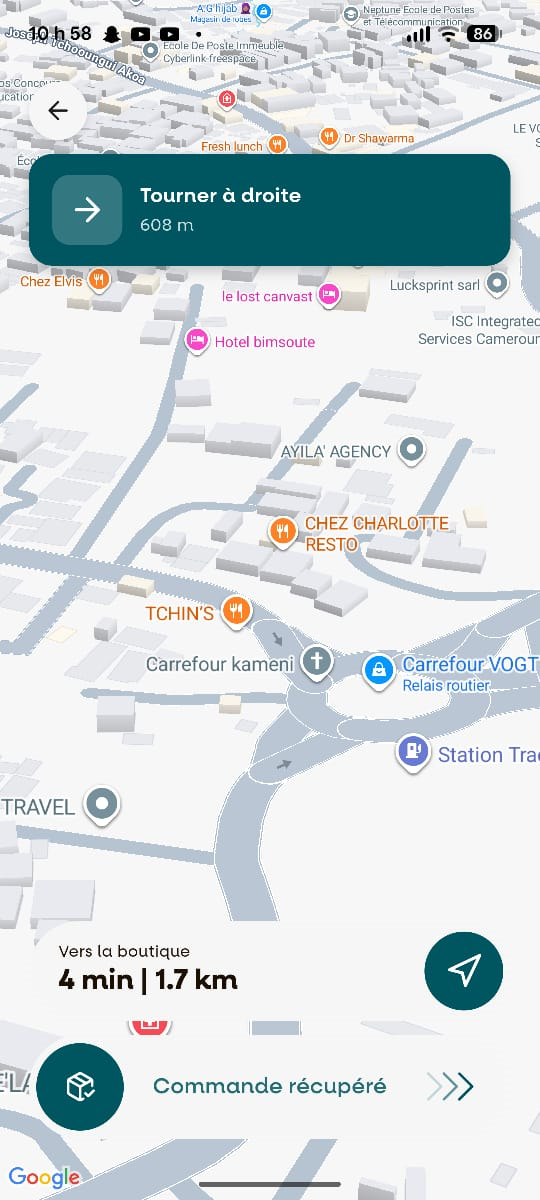
When you arrive at the store, the app will automatically display the "Commande récupérée (Order collected) " button.
Tap this button to confirm that you have collected the customer's order.
Step 5: Deliver the Order
After confirming that the order has been collected, follow the navigation instructions on the map to the customer's delivery address.

Step 6: Confirm Your Arrival
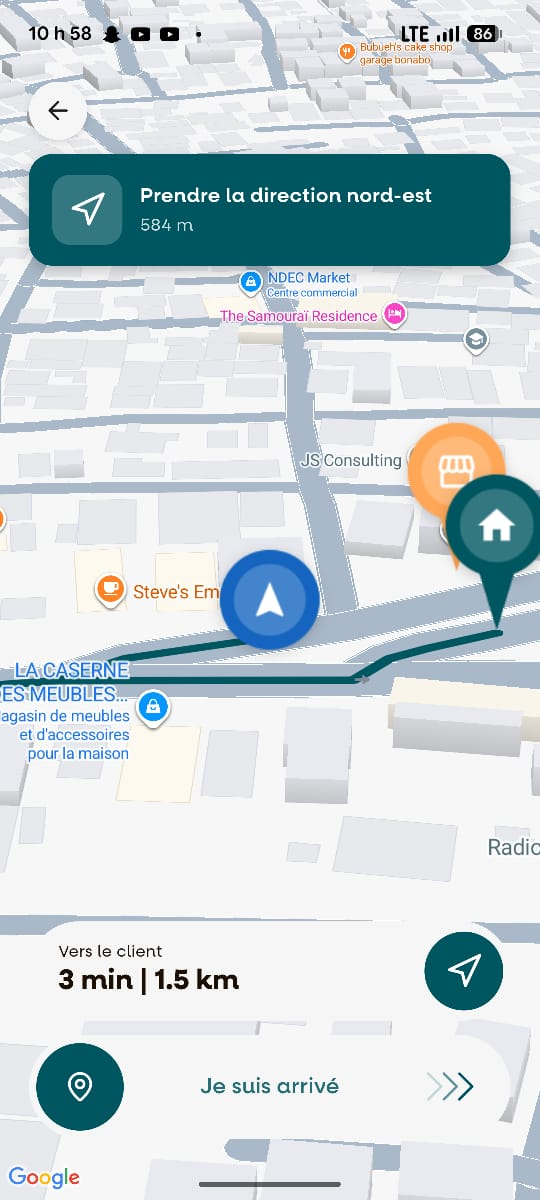
When you arrive at the customer's location, the app will automatically display the " Je suis arrivé (I Have Arrived)" button.
Tap "I Have Arrived" to confirm that you have reached the delivery destination.
Step 7: Contact the Customer
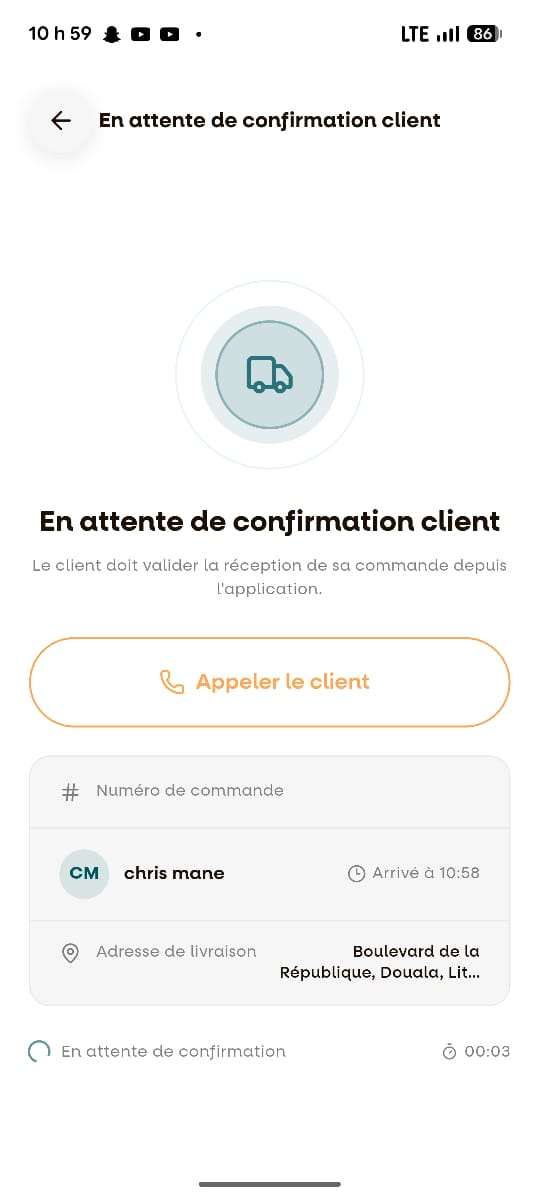
After tapping "I Have Arrived", the next screen will appear.
From this screen, you can call the customer to let them know that their order is ready for collection.
🎉 Delivery Process Completed!
You have successfully completed the delivery workflow.
You are now ready to accept your next order and continue delivering with DeleevX.