How to Create an Account and Sign In
Step 1: Access the DeleevX Website
Once you access the DeleevX website, the landing page will appear. Click on the Get Started button to begin creating your account.

Step 2: Open the Registration Page
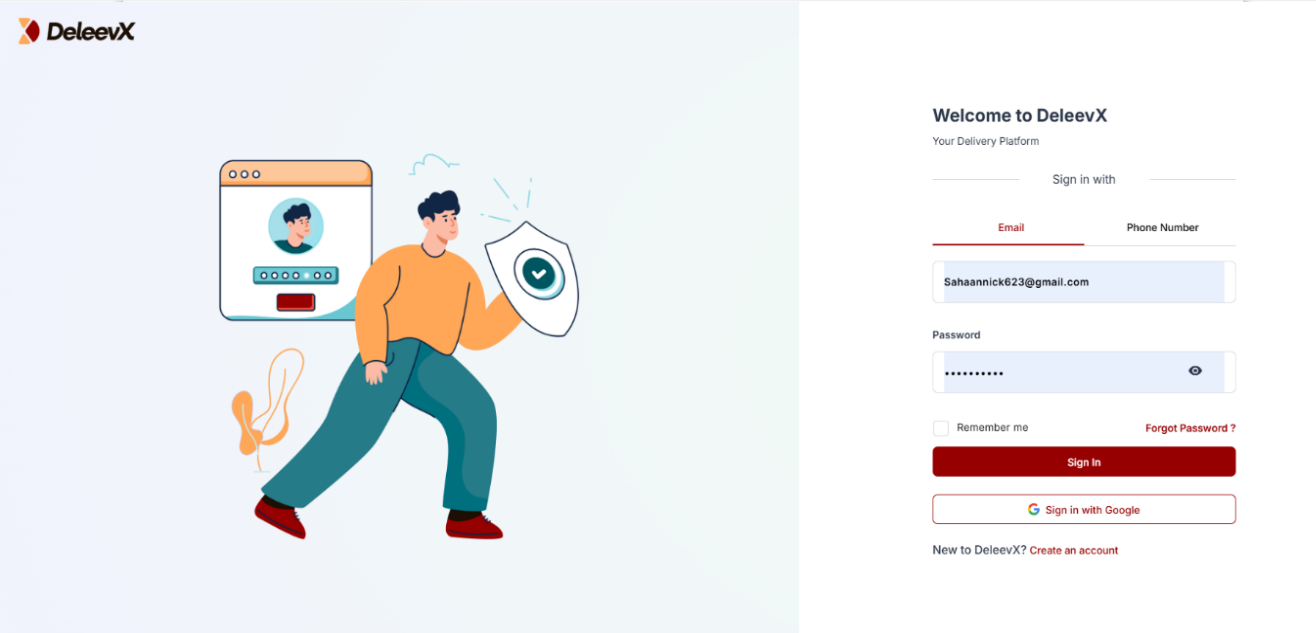
After clicking the Get Started button, the Sign In page will be displayed. On this page, click Create an Account to start setting up your account.
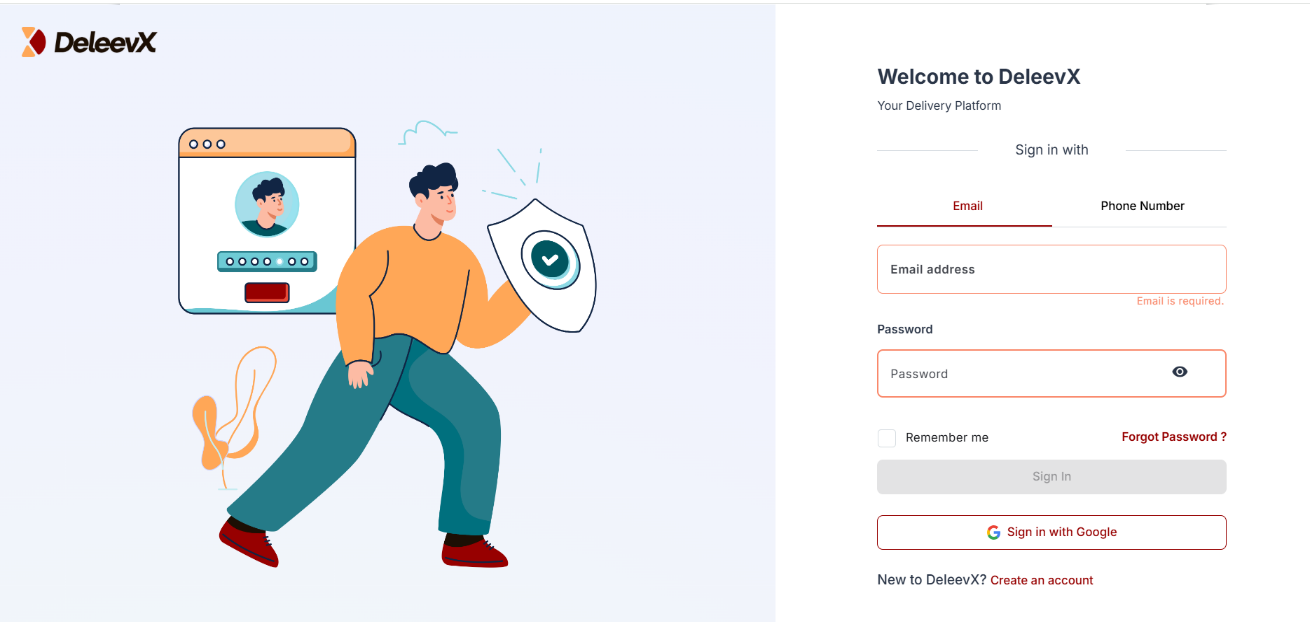
Step 3: Verify Your Email Address
The registration page will appear, where you will be required to enter your email address. A verification code will then be sent to your email.
Note: You can also create your account using your phone number or sign in directly with Google.
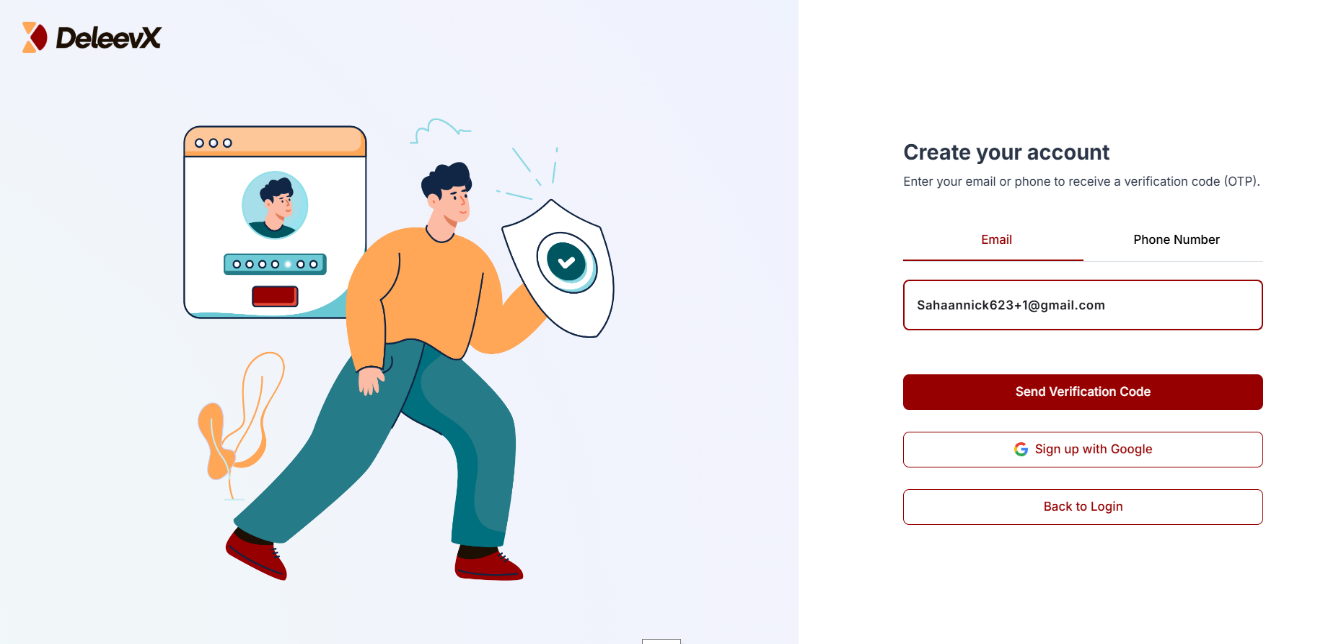
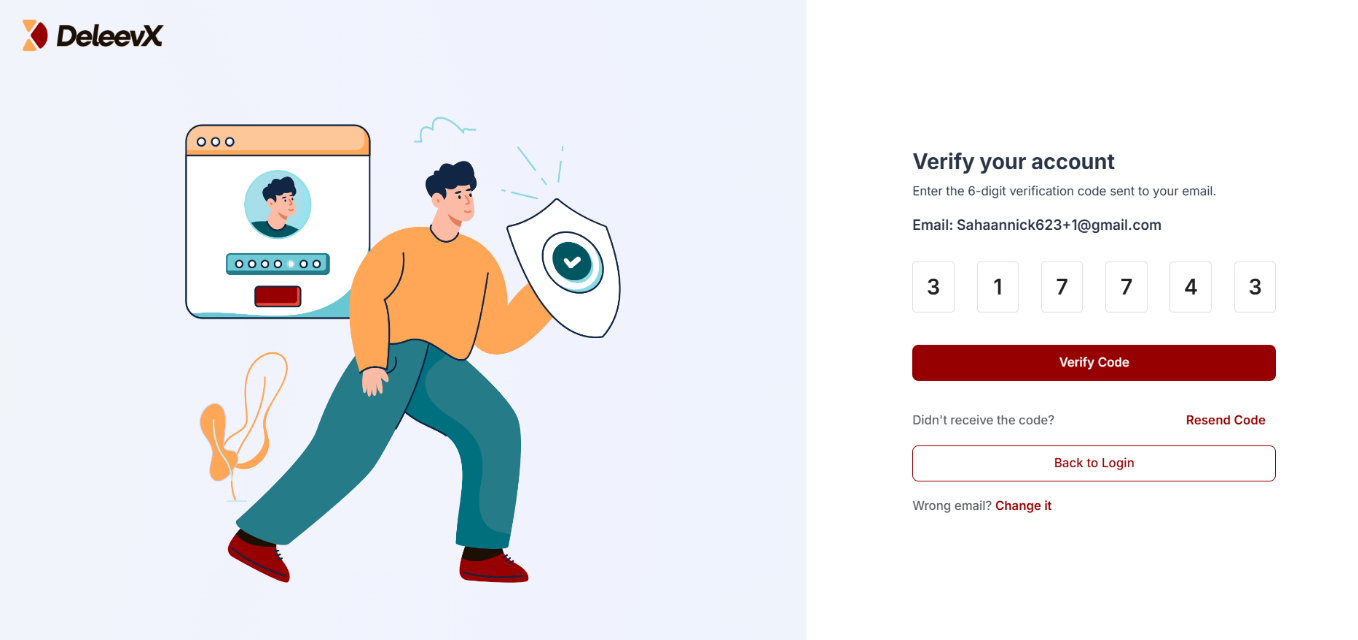
Step 4: Enter the Verification Code
Check your email inbox and enter the verification code you received. Then, click Verify Code.
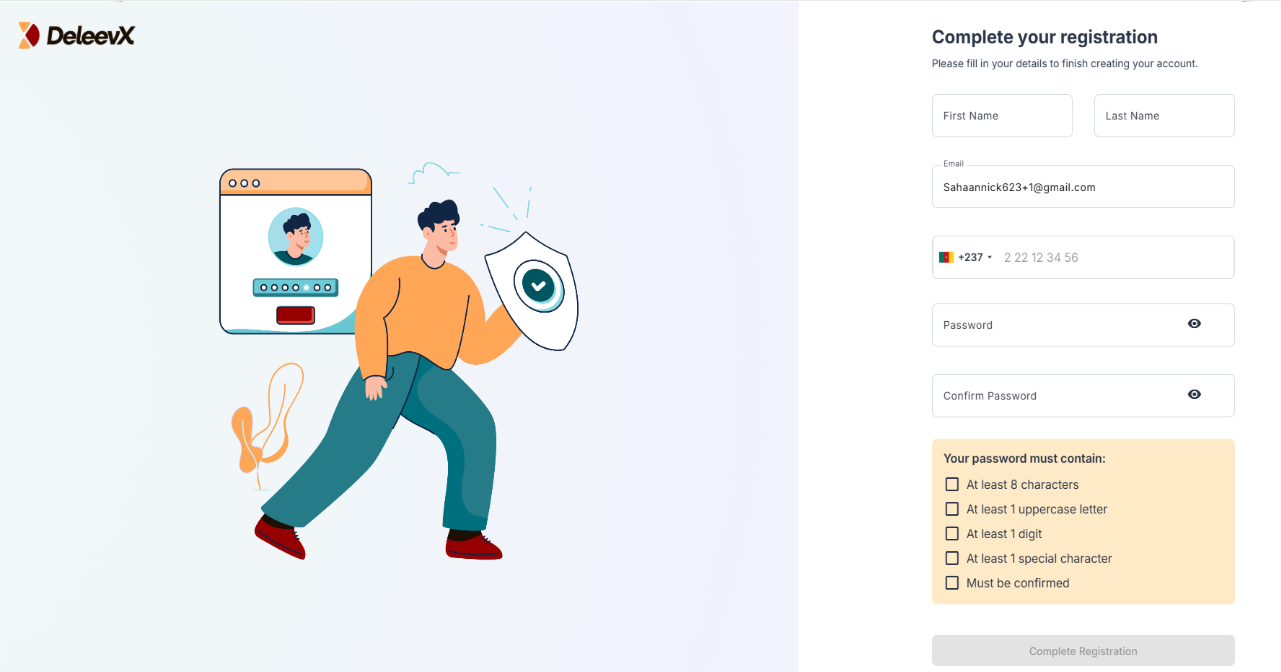
Once the code has been verified, the registration form will appear, where you will need to provide your personal information.
Step 5: Complete Your Registration
Fill in the required information and click Complete Registration to finish creating your account.
Step 6: Sign In to Your Account
After clicking Complete Registration, your information will be saved and you will be automatically redirected to the Sign In page.
Enter your login credentials and click Sign In.
Congratulations!
Your account has been successfully created, and you are now ready to use DeleevX.