Financial Operations Section
The Financial Operations section allows you to monitor and manage all financial activities related to your store. It provides a complete overview of your wallet, transactions, and withdrawals.
This section is divided into three sub-sections:
- Wallet
- Transactions
- Withdrawals
i. Wallet Page
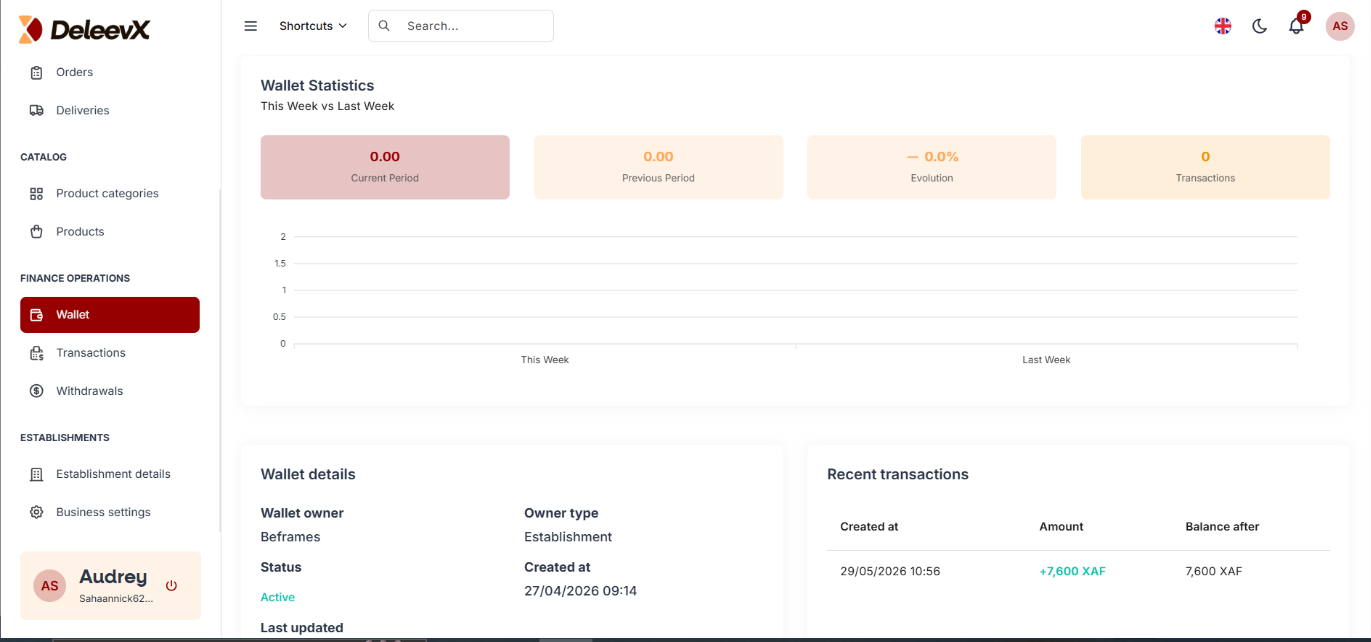
The Wallet page provides a statistical overview of your wallet management.
From this page, you can:
View your current balance
See the amount available in your wallet.
Track the evolution of your balance over time
Understand how your funds change across periods.
See the total number of transactions made
Review how many transactions were recorded.
Get an overall view of your available funds
Know how much money is available for use.
This page helps you efficiently monitor the status of your finances.
ii. Transaction Page
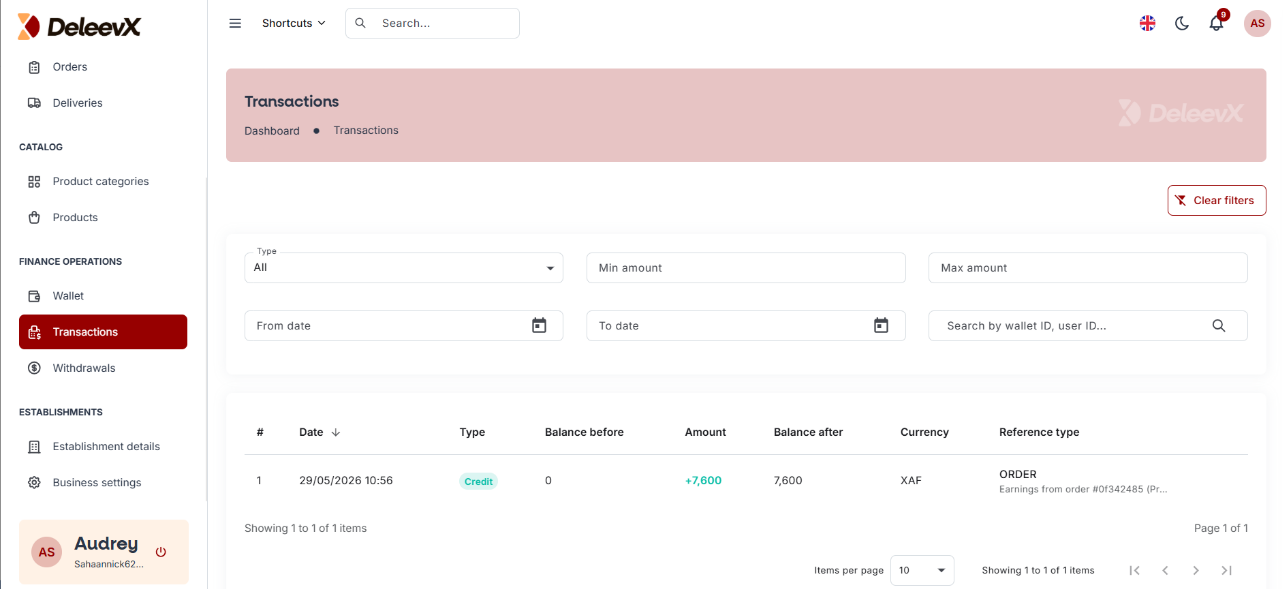
The Transaction page displays all transactions made on your account.
From this page, you can:
View your complete transaction history
Browse every transaction recorded in your account.
Track your expenses and earnings
Compare money going out against money coming in.
Review transaction details
Inspect each transaction for accuracy and context.
Monitor all your financial activities
Keep track of all the financial movements in one place.
This section makes it easier to manage and track your financial operations.
iii. Withdrawal Page
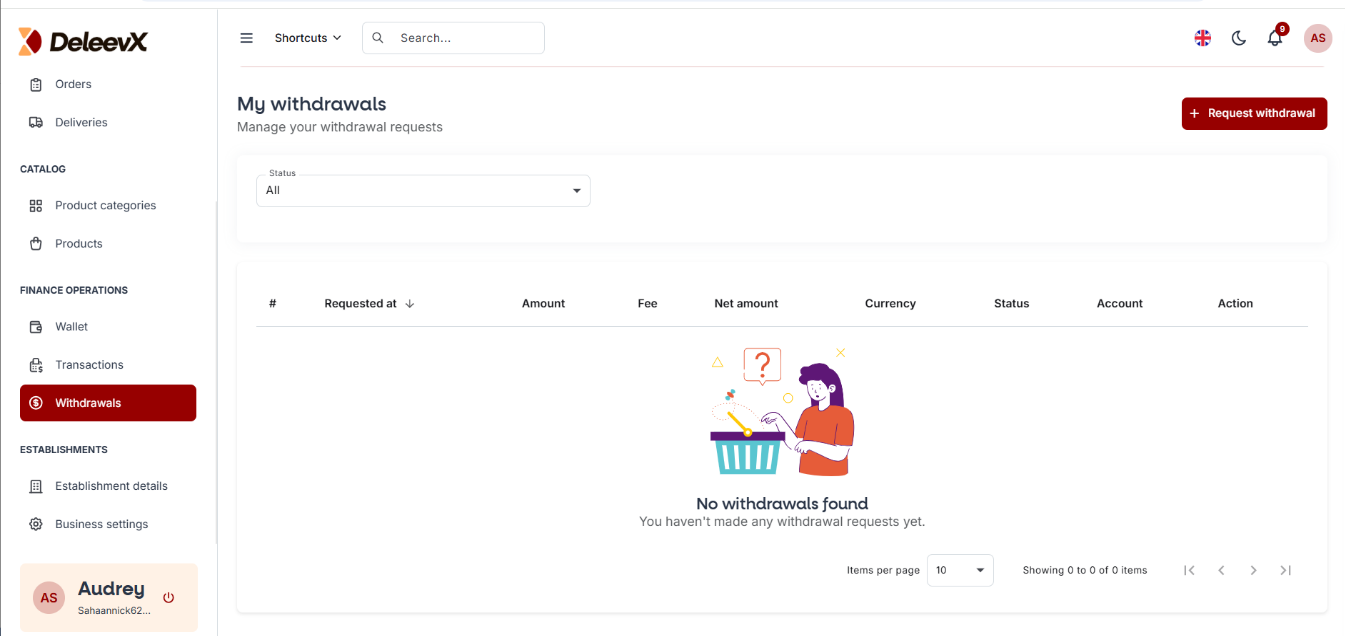
The Withdrawal page provides a detailed history of all your recent withdrawals.
From this page, you can:
View your withdrawal history
See a full log of past withdrawals.
Check the amount of each withdrawal
Confirm the funds moved in each request.
Track the status of withdrawal requests
Know whether withdrawals are pending, approved, or completed.
Monitor payments transferred to your withdrawal accounts
Verify where withdrawn funds were sent.
This section helps you maintain a clear record of all funds withdrawn from your wallet.
Tipp
Regularly review the Wallet, Transactions, and Withdrawals pages to stay informed about your finances and maintain effective financial management on DeleevX.