How to Complete Your Seller Profile
Step 1: Access the Seller Profile Page
Once you have successfully signed in to your account, you will be redirected to the Seller Profile page. Here, you will be required to provide information about your identity and your store.
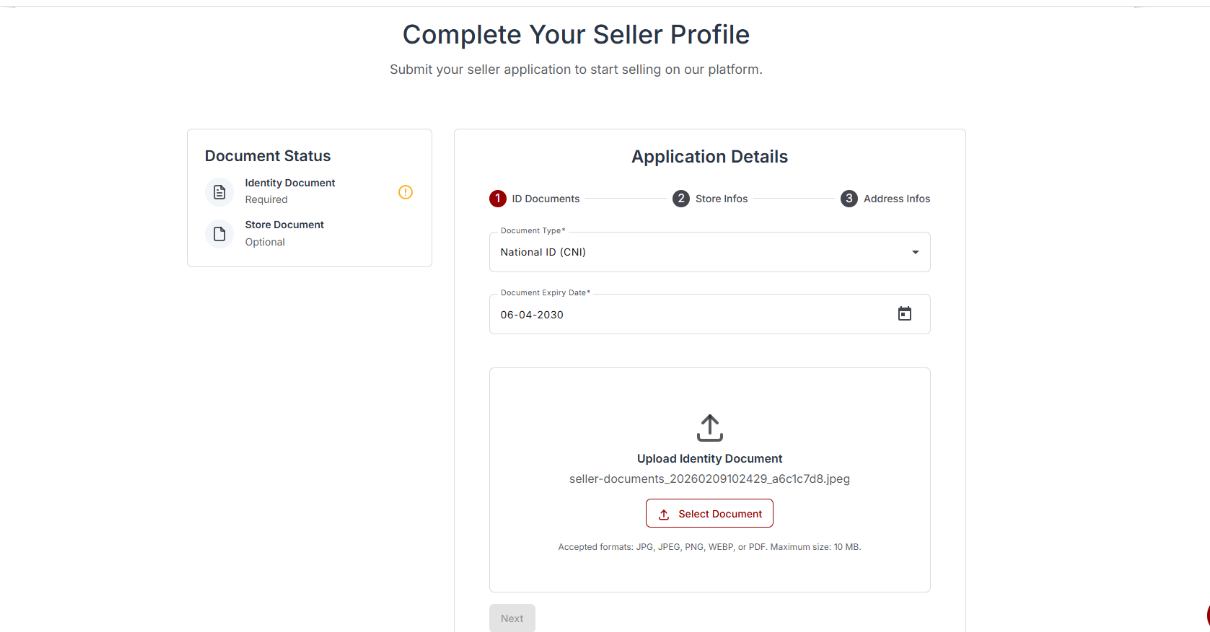
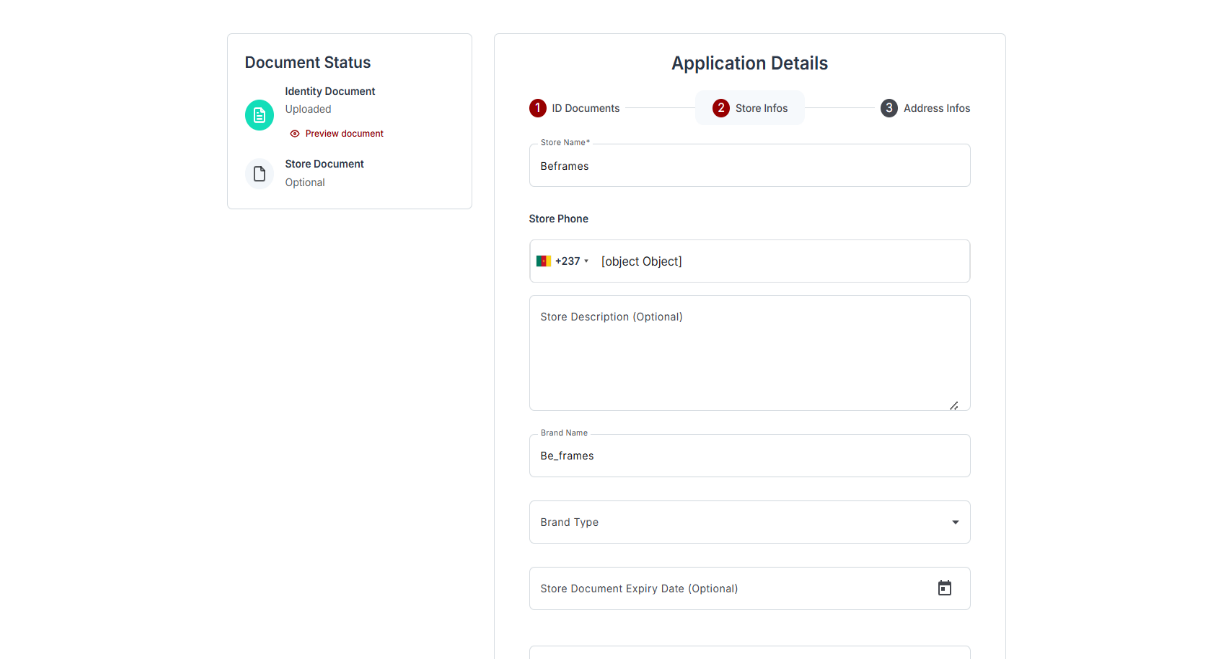
Step 2: Complete Your Store Information
The section below displays the Store Information form, where you will be required to enter details about your store.
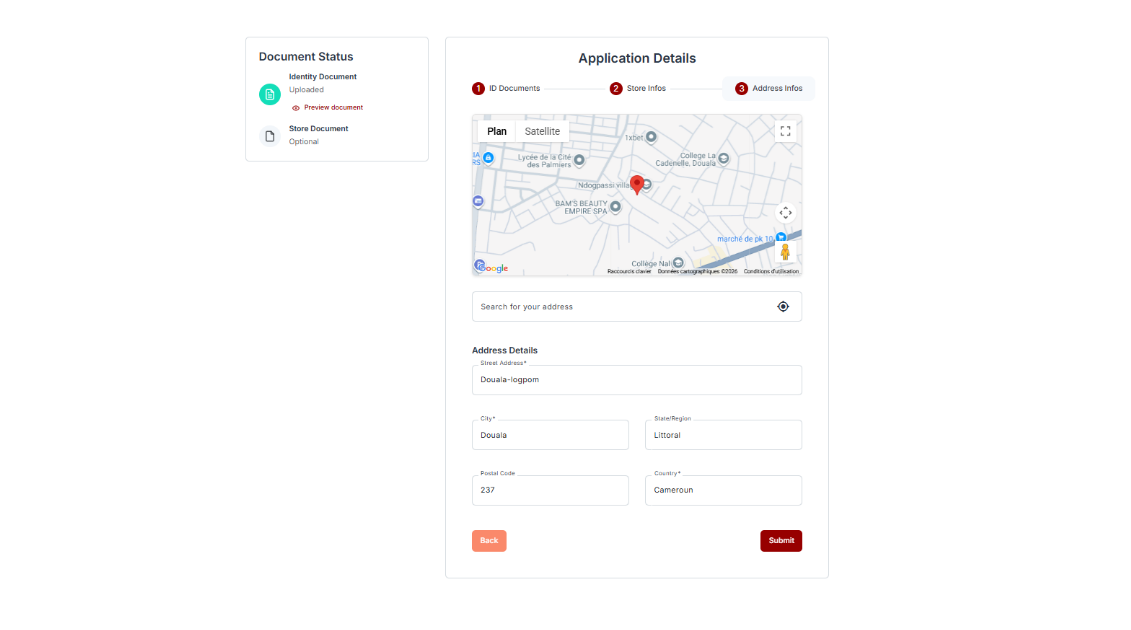
Step 3: Complete Your Address Information
The section below displays the Address Information form, where you will be required to provide your address details.
Step 4: Submit Your Seller Profile
After completing all the required information, click Submit to send your profile for review.
Once your information has been submitted, you will be automatically redirected to a review page while the administrator verifies your account.
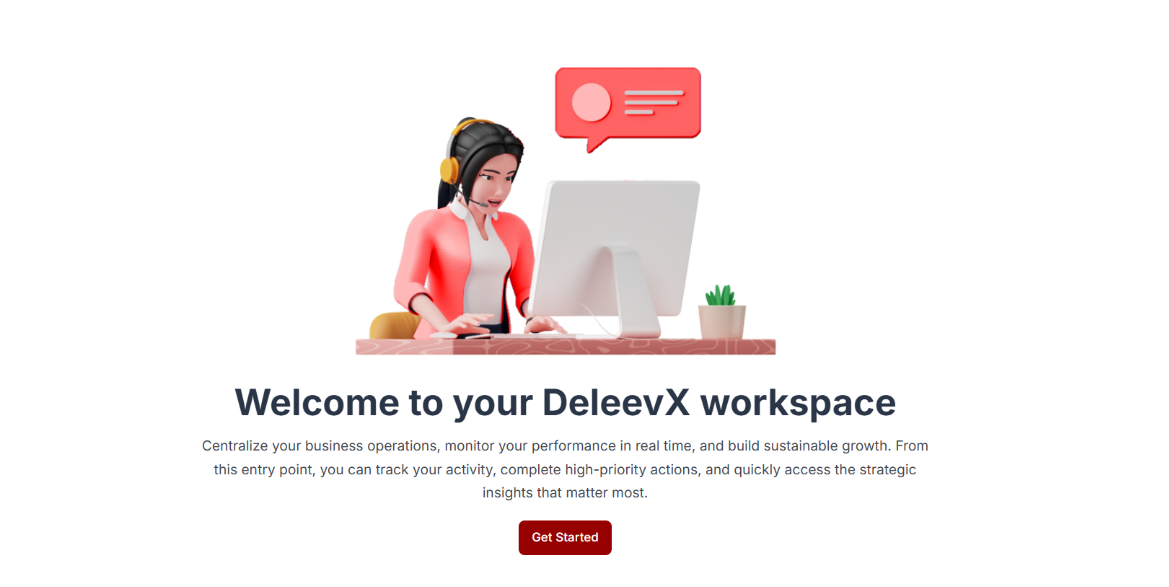
Note: Your request may be either approved or rejected based on the information provided.
Step 5: Account Rejection Example
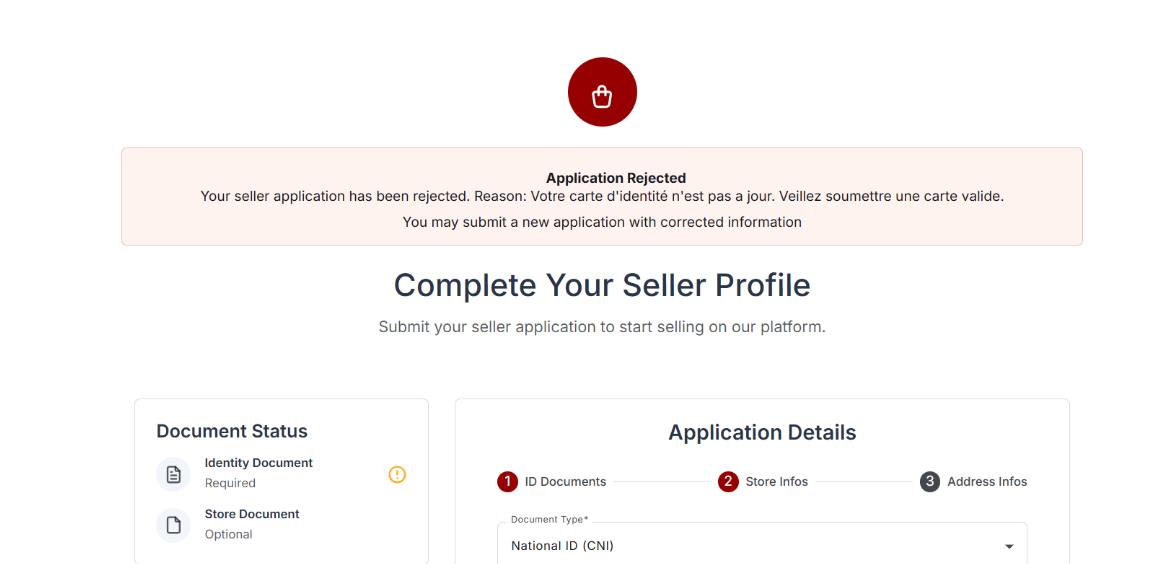
If your application is rejected, you will receive a notification explaining the reason for the rejection.
In the example below, the account was rejected because the identity card provided was not up to date.
Step 6: Account Approval
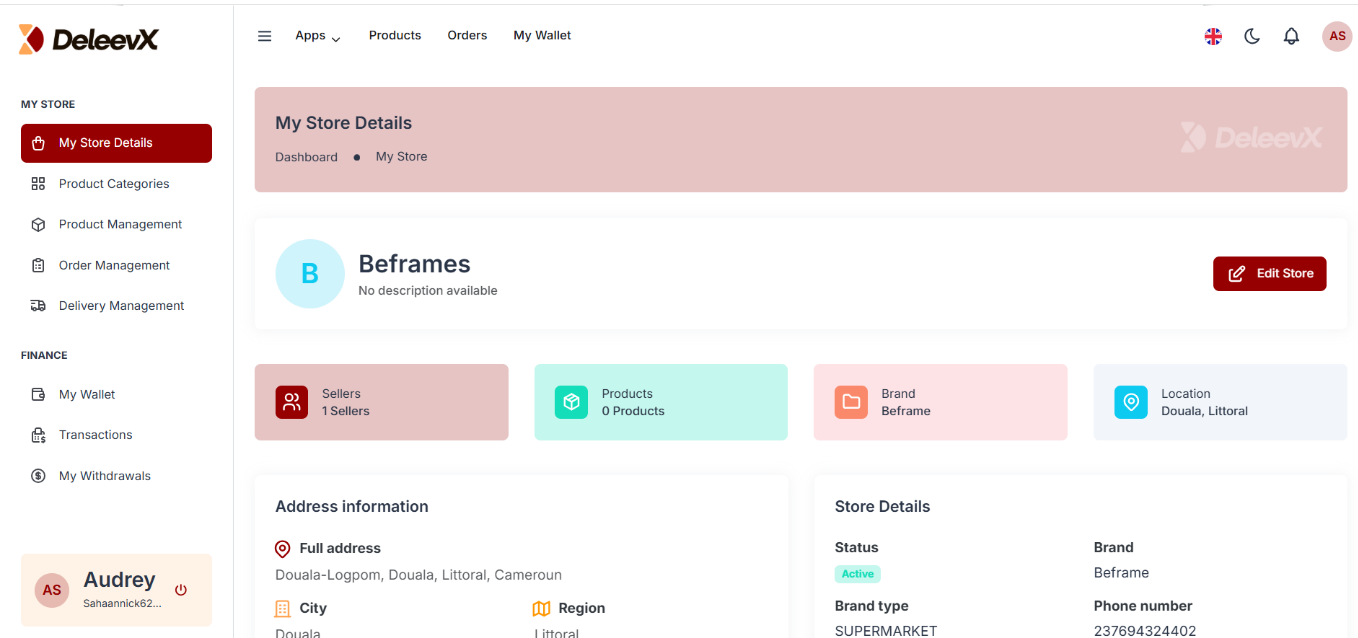
Once your seller profile has been approved, you will be automatically redirected to your dashboard.
From there, you can start managing your store and enjoying all the features available on DeleevX.
Congratulations!
Your seller profile has been successfully approved.
Welcome to the DeleevX Seller Community!
You can now start your journey with us and grow your business on the platform.